15-10-2026
A professional table of contents is an important part of a well-organized book. It gives readers a quick overview of the book's structure, helps them locate specific chapters and makes the overall reading experience more convenient.
Whether you are writing a novel, a poetry collection, a self-help book, an academic publication or a practical guide, your table of contents should be clear, consistent and easy to navigate.
However, creating a good table of contents involves more than listing chapter titles. Authors need to decide which sections to include, how to organize headings, how to format page numbers and how to keep the layout consistent throughout the manuscript.
A poorly formatted contents page can confuse readers, especially when chapter titles do not match the manuscript or page numbers are incorrect. A well-designed one makes the book feel more organized and professionally prepared.
In this guide, you will learn how to create a professional table of contents for a book, explore sample formats for different genres and understand how to prepare the contents page for print and digital publication.
A table of contents, commonly called a TOC, is a list of the main sections of a book in the order in which they appear. It usually includes chapter titles and their corresponding page numbers.
Depending on the book's purpose, it may also include section headings, appendices, a bibliography, an index or other important sections.
For example, a non-fiction book might include an introduction, ten chapters, a conclusion and an appendix. A novel might list only its chapter numbers or titles, while an academic book may require a more detailed hierarchy of chapters and subsections.
The purpose of the table of contents is to help readers understand the structure of the book before they begin reading.
A professional TOC should be:
Accurate: Titles and page numbers should match the final manuscript.
Consistent: Chapter numbering, capitalization and spacing should follow the same style.
Readable: Readers should be able to scan the list easily.
Organized: Main chapters and subsections should have a clear hierarchy.
Appropriate: The level of detail should suit the book's genre and intended audience.
Before designing the contents page, review the structure of your manuscript. Decide which sections are important enough to appear in the table of contents.
Not every book needs the same format. A novel generally requires a simpler contents page than an academic or technical publication.
Depending on the type of book, the contents page may include:
Introduction or preface.
Chapters and chapter subtitles.
Major parts or sections.
Conclusion or final thoughts.
Appendices.
Notes and references.
Bibliography.
Glossary.
Index.
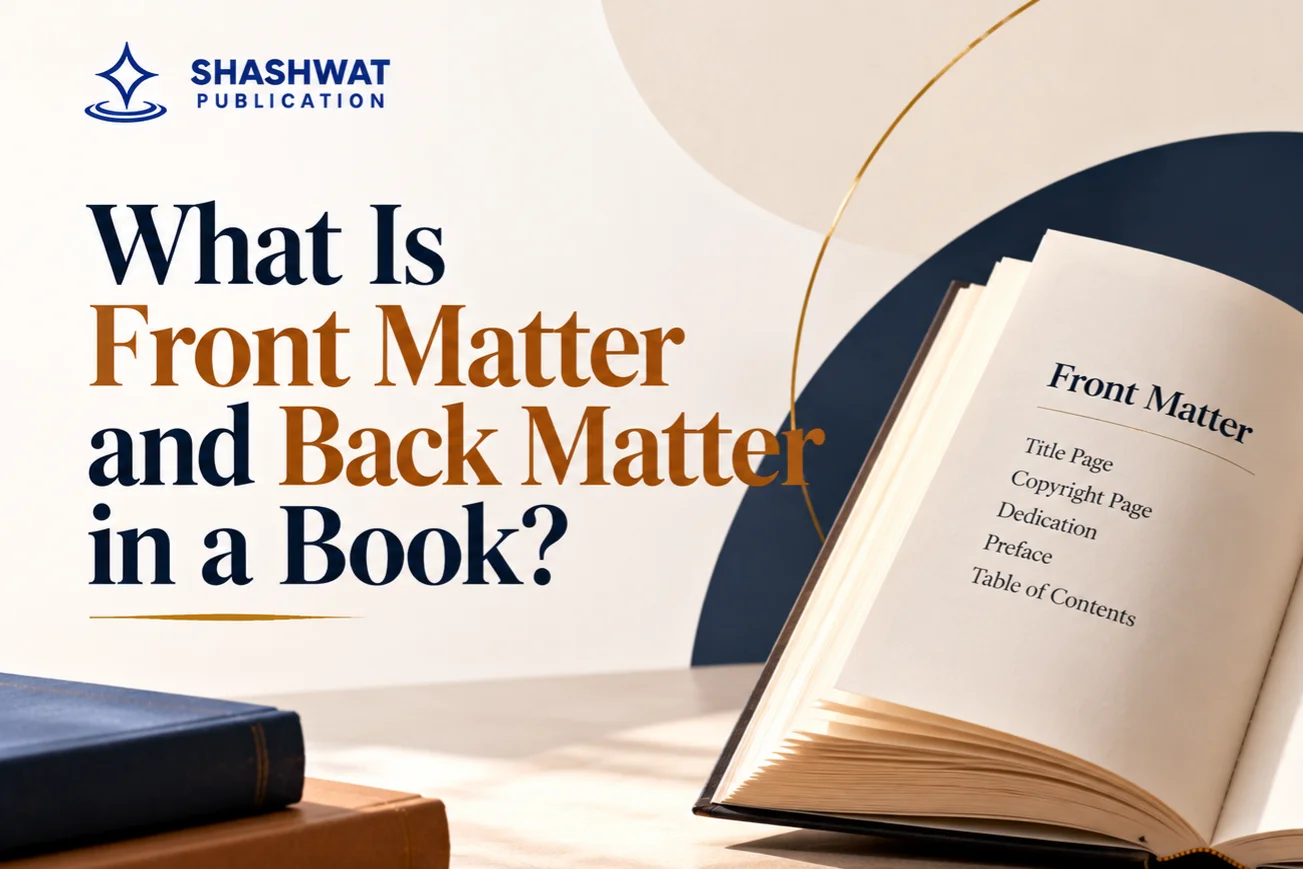
Front matter, such as a title page, copyright page or dedication, may or may not appear in the TOC depending on the book's design and publishing requirements.
Do not include every page automatically. Select the entries that help readers understand the book's organization and locate useful information.
Use a clear structure for main chapters and subsections.
For example:
Chapter 1: Understanding the Subject
1.1 Key Concepts
1.2 Common Challenges
1.3 Practical Applications
Chapter 2: Developing a Strategy
2.1 Planning
2.2 Implementation
This hierarchy makes it easy to distinguish major sections from supporting topics. Avoid adding too many levels, especially when the book is intended for general readers.
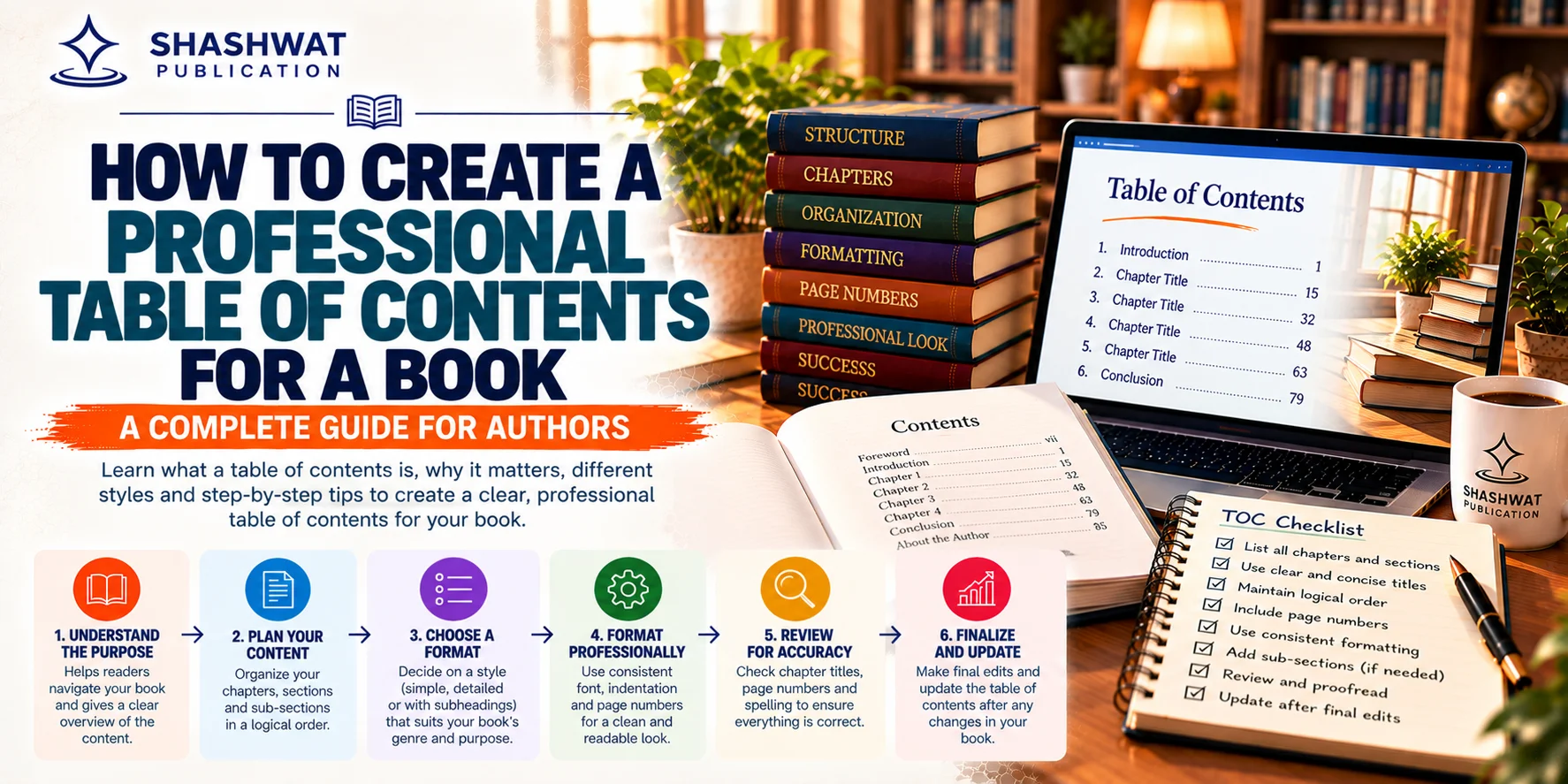
A professional table of contents starts with a logical manuscript structure. If your chapters are poorly organized, attractive formatting will not solve the underlying problem.
Begin by reviewing the flow of the book. Each chapter should have a clear purpose and contribute to the overall subject or story.
For non-fiction books, arrange chapters in a sequence that helps readers progress from basic concepts to more detailed information or practical applications.
For fiction, ensure that chapter divisions support the narrative and that the contents page does not reveal important plot details unintentionally.
Chapter titles should tell readers what to expect without becoming unnecessarily long.
For example:
Less descriptive: Chapter 4 — More Information
More descriptive: Chapter 4 — Building a Practical Writing Routine
The second title communicates the chapter's purpose more clearly.
For novels, however, short or symbolic chapter titles can be appropriate when they match the author's creative style.
If you use numbered chapter titles, follow the same pattern throughout the book.
For example:
Chapter 1: Introduction
Chapter 2: Planning Your Book
Chapter 3: Preparing the Manuscript
The best TOC format depends on your book's genre, length and intended readers.
A novel usually benefits from a clean, minimal layout.
Example:
Contents
Chapter 1: The Beginning ............ 1
Chapter 2: An Unexpected Meeting .... 13
Chapter 3: The Hidden Letter ........ 27
Chapter 4: A Difficult Decision ..... 41
Chapter 5: The Journey Continues .... 58
This format makes chapter titles easy to scan without adding unnecessary detail.
A practical guide or business book may benefit from descriptive chapter titles and selected subheadings.
Example:
Contents
Introduction ................................ 1
Chapter 1: Understanding the Basics .......... 5
Key Concepts ............................... 7
Common Challenges .......................... 10
Chapter 2: Creating a Practical Plan ......... 15
Setting Clear Goals ........................ 17
Building a Timeline ....................... 21
Chapter 3: Putting Your Plan into Action ..... 27
Conclusion ................................... 45
Appendix ..................................... 49
Use subheadings only when they provide meaningful navigation. A contents page that lists every minor heading can become cluttered.
Academic publications often need a more detailed structure because readers may want to locate a particular topic quickly.
Example:
Contents
Preface ...................................... i
Introduction ................................ 1
Chapter 1: Research Foundations ............... 7
1.1 Background and Context ................... 9
1.2 Research Objectives ..................... 13
1.3 Scope of the Study ...................... 17
Chapter 2: Methodology ...................... 23
2.1 Research Design ......................... 25
2.2 Data Collection ......................... 30
Conclusion .................................. 95
References .................................. 101
Appendix .................................... 109
The exact structure will depend on the subject, academic conventions and requirements of the intended publication.
Once the structure is finalized, focus on the visual presentation. The contents page should match the overall design of the book while remaining easy to read.
Use a font that is comfortable to read at the book's final size. The TOC font should generally complement the main body text and chapter headings.
Avoid using too many font families, decorative typefaces or excessive bold formatting. Use bold text primarily for main chapters or major sections when it improves readability.
Leave enough space between entries so that readers can distinguish one item from another.
For a long contents page, slightly tighter spacing may help fit the information neatly. However, avoid compressing the text so much that it becomes difficult to scan.
In many printed books, page numbers appear along the right side of the contents page. Dotted leaders can guide the reader's eye from the chapter title to its page number.
For example:
Chapter 1: Getting Started ................. 1
Chapter 2: Understanding the Process ........ 15
Chapter 3: Common Mistakes ................. 32
Use consistent alignment rather than inserting random spaces. A tab stop or the document editor's built-in TOC formatting is more reliable.
Main chapters should generally begin at the same left margin. Subsections can be indented slightly to show that they belong to a particular chapter.
Avoid excessive indentation because it reduces the space available for longer titles.
Page numbers are especially important in printed books. A reader who follows an incorrect page number may end up in the wrong chapter or section.
The main challenge is that page numbers often change during editing. Adding a paragraph, changing a font or adjusting margins can shift the start of a chapter.
For this reason, do not finalize your contents-page pagination too early.
Complete the main manuscript edits.
Finalize the page size, margins and body-text formatting.
Confirm where each chapter and major section begins.
Generate or update the table of contents.
Review every page number against the final manuscript.
Repeat the check after any substantial layout changes.
For printed books, the contents page may use Roman numerals for some front matter and Arabic numerals for the main text, depending on the chosen design. Follow a consistent pagination system and the applicable publishing specifications.
For digital books, page numbers may not remain consistent across devices or font settings. A navigable contents structure is therefore especially important.
Creating a table of contents manually can take time, particularly when your manuscript contains many chapters. An automatic TOC can reduce repetitive work and make updates easier.
Microsoft explains that Word uses heading styles to build a table of contents. Applying these styles consistently also makes it easier to reorganize and reformat a document. <Cite refs={["turn650116search3","turn650116search6"]}/>
Open your manuscript and select each chapter title.
Apply Heading 1 to main chapter titles.
Apply Heading 2 to important subsections.
Apply Heading 3 to lower-level headings when needed.
Keep ordinary paragraph text in the normal body-text style.
Go to the page where you want the table of contents to appear. In many books, this is placed in the front matter before the main chapters, although the precise order depends on the book's format.
Type the heading Contents or Table of Contents, depending on your design.
In Microsoft Word:
Open the References tab.
Select Table of Contents.
Choose an automatic table style.
Review the generated entries and formatting.
Word builds the TOC using the heading structure in the document. If a chapter is missing, check whether the chapter title has the correct heading style. <Cite refs={["turn650116search6"]}/>
Whenever you change chapter titles, add sections or alter pagination, update the table of contents.
In Word, select or right-click the TOC and choose the relevant update option. Depending on the changes, you may update page numbers only or refresh the entire table.
Confirm that:
Every required chapter appears.
Titles match the manuscript exactly.
Page numbers are accurate.
Subsections have the correct indentation.
No unwanted headings or body paragraphs appear.
The contents page fits the book's design.
Microsoft's official guide to inserting a table of contents provides additional instructions for creating and updating an automatic TOC.
A print book requires careful attention to page layout because the contents page must work with the final physical format.
Consider the following points before approving the print-ready file.
Check the final trim size: The width of the page determines how long chapter titles can be before wrapping to another line.
Review margins: Make sure the contents page respects the book's margins and does not appear crowded near the binding.
Check page breaks: Avoid awkward breaks that leave a heading separated from its page number or create an unnecessarily sparse page.
Use consistent pagination: Confirm the page-numbering system for front matter and main text.
Inspect the final PDF: Review the exported file rather than relying only on the editable manuscript. Fonts, spacing and page breaks may appear differently after export.
If you make changes to the manuscript after creating the print-ready file, export it again and recheck the TOC.
Digital books need a contents structure that supports navigation. Readers should be able to move between major chapters without scrolling through the entire book.
For an eBook, consider the following:
Use a clear hierarchy of chapter and subsection headings.
Include navigation links where the format supports them.
Check that every major chapter is accessible from the contents menu.
Avoid relying only on fixed page numbers, which may vary between devices.
Test the exported digital file to confirm that links and navigation work.
A printed contents page and a digital navigation TOC may look different, but both should accurately reflect the manuscript's structure.
Even a well-written book can look unfinished if its contents page is poorly organized.
If the TOC says "Writing Your First Book" but the chapter heading says "How to Write Your First Book," readers may wonder whether they are looking at the correct section.
Solution: Match each entry to the final chapter heading.
Late-stage edits can shift pagination and make the TOC inaccurate.
Solution: Update the TOC after formatting changes and verify the final exported file.
Listing every small heading can make the contents page difficult to scan.
Solution: Include only the levels that provide useful navigation for the intended reader.
Using Roman numerals, Arabic numerals and lettered sections without a clear system can confuse readers.
Solution: Establish a numbering convention before final formatting and apply it consistently.
Typing repeated spaces between chapter titles and page numbers can create uneven alignment.
Solution: Use automatic TOC formatting or tab stops with leader characters.
Making a heading bold or large does not necessarily assign it a structural heading style. As a result, it may not appear in an automatically generated TOC.
Solution: Apply the appropriate heading style, then customize its appearance if necessary. <Cite refs={["turn650116search3","turn650116search6"]}/>
Before sending your book for publication, use this checklist to review the contents page.
The TOC heading is clear and consistently styled.
All required chapters appear in the correct order.
Chapter titles match the manuscript.
Subsections are indented consistently.
Page numbers match the final layout.
Typography is readable at the intended book size.
Dotted leaders and page numbers align correctly where used.
No unintended headings or placeholder text appear.
Digital navigation links work, if applicable.
The exported print or digital file has been checked.
The TOC has been updated after the final manuscript edits.
A final review is essential because even a small formatting change can affect the contents page.
A professional book requires more than strong writing. Manuscript organization, consistent chapter formatting, pagination and final file checks all contribute to a polished result.
If you are preparing your first manuscript, explore the book publication services offered by Shashwat Publication to understand the publication support available.
You can also review the information about book publishing services in India and book publishing packages to understand the available options.
Before selecting a service, confirm the specific deliverables, costs, timelines and formatting responsibilities. Do not assume that every package includes the same editorial or design support.
Creating a professional table of contents is an essential step in preparing a well-organized book. Start by establishing a logical chapter structure, choosing meaningful headings and deciding which sections readers need to locate easily.
Then apply consistent formatting, verify page numbers and use automatic TOC tools where appropriate. For print books, check the final page layout carefully. For digital editions, make sure the navigation structure works as intended.
A clear contents page helps readers understand your book, find information quickly and navigate the manuscript with confidence. By reviewing it carefully before publication, you can improve the presentation of your book and create a more professional reading experience.
+91 99930 01841 | +91 99936 08164 | ssupport@shashwatpublication.com
2nd Floor, HN 46, Balaji Residency, Seept Road, Bilaspur, C.G 495001

Can’t find what you are looking for? Drop an email to support@shashwatpublication.com
A professional table of contents usually includes chapter titles and page numbers. Depending on the book, it may also include an introduction, conclusion, major subsections, appendices, references or an index.
The TOC is generally placed in the front matter before the main text. Its exact position depends on the book's format and publishing requirements.
Apply heading styles to your chapter titles and subsections, place the cursor where the TOC should appear, then select References, Table of Contents and an automatic style. Update the TOC after editing the manuscript.
A table of contents can help readers navigate a novel, particularly a longer work or one with titled chapters. Some novels use only chapter numbers, so the decision depends on the book's structure and design.
Printed books generally use page numbers in the TOC. Digital books should also provide a navigable contents structure, but fixed page numbers may not remain consistent across different devices and display settings.
Use enough levels to help readers navigate the book without making the contents page cluttered. Main chapters and one level of subsections are often sufficient for general non-fiction, while technical and academic books may need more detail.
Finalize it after the manuscript structure and page layout are stable. Update the entries and page numbers after any subsequent changes that affect headings or pagination.
Yes. Word and other document-editing tools can generate a TOC from structured headings. Automatic generation makes updates easier, but the final entries and page numbers still need to be checked.
A table of contents lists the main sections of a book in reading order. An index is usually arranged alphabetically and helps readers locate specific subjects, names or terms within the book.
You can explore Shashwat Publication's website and publication-service information to understand the available options. Confirm directly which formatting, editing and design services are included before proceeding.


Dear Team, I would like to express my sincere appreciation for the seamless book publishing experience. As this is my debut publication, I will certainly be recommending Shashwat Publication.
I write this to express my deep sense of appreciation and gratitude to Shashwat Publication for publishing my first book in a time bound and professional manner. The first call from Ms Swati and her subsequent interactions, followed by dealing with ... Read More
Very Good publications
Publishing Experience with Shashwat Publications My experience with Shashwat Publications has been a fulfilling and memorable journey. From the initial stages of manuscript preparation to the final publication of my book, The Dental Prescriber: Fro... Read More
About Publishing Experience with Us As a first-time author with Shashwat Publications, I look forward to a professional, collaborative, and enriching publishing experience. I appreciate the opportunity to present this work to students and educators... Read More
I am satisfied with the work, it was not too long time taken by the publishers. Also the price is appropriate for publishing the book. I recommend other authors too, must have experience once with this publication. Worthy experiences. Thanks :)

B-75, Krishna Vihar, Koni, Bilaspur, C.G 495001
support@shashwatpublication.com
Timing
Important Pages
All rights are reserved by Aadeera Corporation Private Limited
Terms & Condition Apply